How to open DjVu files on Windows 11 (and 10) without installing anything
Updated October 22, 20265 min read
Double-click a .djvu file on Windows and you get a question instead of a book: which app should open it? Windows 11 and Windows 10 have no DjVu viewer built in. Here's how to read the file in your browser in four steps, with nothing to install.
Step 1
Open the online DjVu viewer in your browser
In Microsoft Edge, Chrome or Firefox, go to our free online DjVu viewer. There's nothing to download and no account to create. It works in Edge or Chrome 111, Firefox 128 or newer, on Windows 11 and Windows 10 alike.
Step 2
Drop your DjVu file on the page
Drag the .djvu or .djv file from File Explorer onto the page, or click Open a DjVu file and pick it. Even a book of hundreds of pages opens in seconds. The file is read by a DjVu engine running in your browser, on your own computer: it isn't uploaded anywhere, so private documents stay private.
Step 3
Read, search and jump between chapters
Scroll through the pages, or move around the book from its thumbnails and table of contents. A few things to try:
- Search: type a word to see every match, highlighted on the page. This works when the book has a text layer, as many scanned books do.
- Copy text: select words straight from the page, when the book has a text layer.
- Zoom and fit: fit the page or its width, or zoom in on a formula or map.
- Page colour and full screen: switch to Sepia or Night, and hide everything but the page.
Step 4
Convert it to PDF if you want a file Windows opens
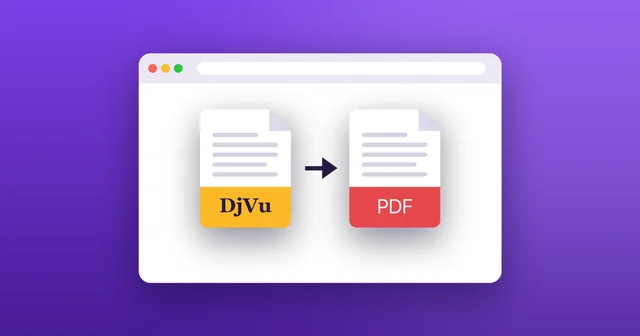
Windows opens PDF files out of the box, in Microsoft Edge. Click Convert to PDF at the top of the viewer (in a narrow window, the button just says PDF), then Download PDF, and you have a copy you can double-click, print or send to anyone. The PDF keeps the book's searchable text and turns its contents into bookmarks. To convert several books at once, use the DjVu to PDF converter. When you close the viewer, nothing is kept.
Why can't Windows open DjVu files?
DjVu is a format for scanned books, created at AT&T Labs in 1996 to keep scans small (more in What is a DjVu file?). Microsoft never added a DjVu viewer to Windows, and that hasn't changed in Windows 11. So when you double-click a .djvu file, Windows asks which app to use or suggests looking in the Microsoft Store. Photos, Edge and the other built-in apps can't show it. The file itself is usually fine; your computer just has nothing to draw it with. Renaming it to .pdf doesn't help: the contents stay DjVu, and no PDF reader will open them.
Other options: a desktop DjVu viewer
If you read DjVu books every day and want them to open with a double-click, a free desktop DjVu viewer is the other route. Choose carefully where you get it:
- Use the official source. Install the viewer from its own project page or from the Microsoft Store, not from a “free download” portal. Those portals often wrap programs in installers that add toolbars or other software.
- Read every installer screen. Decline offers for extra programs, and close any page that asks you to run something before a download starts.
- Check the file name. A download called something like djvu-reader.pdf.exe, or a “book” ending in .exe, is a program, not a document.
- Then set it as the default. Right-click a .djvu file, choose Open with › Choose another app, pick the viewer and select Always.
Reading on an iPad or iPhone instead
A tablet is often more comfortable than a desk for a long scanned book. On iPhone and iPad, DjVu Reader opens DjVu books directly, remembers your page and works offline, and it's free to start with 3 book uploads. To move books over from your Windows PC, use Wi‑Fi Transfer: see how to transfer DjVu files from a computer to iPhone.
Common questions
- Does Windows 11 have a built-in DjVu viewer?
- No. Neither Windows 11 nor Windows 10 can open DjVu files on its own. Open them in your browser with our free online DjVu viewer, convert them to PDF, or install a desktop DjVu viewer from a trusted source.
- How do I convert DjVu to PDF on Windows 10 without installing software?
- Open the DjVu to PDF converter in Edge, Chrome or Firefox, drop your DjVu file on it and click Download PDF. It runs in your browser, so nothing is installed or uploaded, and the PDF keeps the book's searchable text.
- Is it safe to open DjVu files online?
- With our viewer, yes: the book is read on your own computer and never uploaded, and nothing is stored when you close the page. If you're worried about the “DjVu virus”, that's a ransomware family that only borrowed the name: see Is a DjVu file safe?
- Why can't I search my DjVu book?
- Some DjVu files are only pictures of pages, with no text layer underneath, and the online viewer doesn't run text recognition. You can still read them. On iPhone and iPad, DjVu Reader can recognise the text on scanned pages so you can search them (Pro).
- The DjVu file won't open, even in the viewer. What now?
- The download may be incomplete, the book may still be inside a ZIP, or the file may be damaged. Download it again or try another source. More fixes in DjVu file won't open?
Open your first DjVu book.
Free on the App Store for iPhone and iPad.