How to convert DjVu to FB2 for your phone or e-reader
Updated October 23, 20267 min read
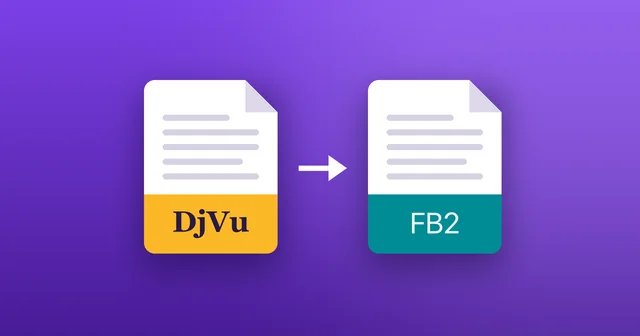
A DjVu book is pictures of printed pages, which are tiny on a phone or a 6-inch e-reader. An FB2 is the book's text, which reflows to fit any screen. Here's how to convert DjVu to FB2 online in three steps, get the file onto your phone or reader, and what to do when the DjVu is only a scan.
Step 1
Check that the DjVu has a text layer
An FB2 is made of text, so the DjVu needs text inside it, not just pictures of pages. Many books shared online carry a hidden text layer, recognised when the book was scanned; many old scans, Soviet editions among them, don't. Open the book in our free online DjVu viewer and:
- Search for a word you can see on a page. If it's found and highlighted, the book has a text layer and will convert.
- Select a line of text. If you can copy it, the text layer is there.
- If the viewer says the book has no text layer, its pages are only pictures. Converting won't help then: see Scans with no text layer below.
Step 2
Convert it with DjVu to FB2
Open our DjVu to FB2 converter on a computer, phone or tablet. Drop one or more .djvu or .djv files on the page, or click Choose files; FB2 is already selected. The text is read and put back into paragraphs and chapters right in your browser, with no upload, no sign-up and no size limit, then you click Download. One book gives one .fb2 file; with several books, Download all (ZIP) saves them together. The book's title comes from the DjVu's own details or, if it has none, from the file name, so rename a file like "scan_0042.djvu" before converting and it will show up properly in your library.
Step 3
Copy the FB2 to your phone or e-reader
FB2 is a single small file, so it's easy to move around:
- PocketBook or ONYX BOOX: connect the reader to your computer with a USB cable and copy the .fb2 to its storage. Most models of both brands list FB2 among their formats; check your model's format list to be sure.
- By email to a PocketBook: the Send-to-PocketBook service gives your reader its own email address. Mail the .fb2 to it and the book appears on the reader when it's on Wi‑Fi.
- Android phone: download the FB2 straight from the converter in your phone's browser, then open it from Downloads in a reading app that supports FB2.
- iPhone: the file is saved to the Files app. Apple Books doesn't open FB2, so open it in a reading app that does.
- Any device: send the file to yourself by email or in a messenger, then open it on the phone or tablet you read on.
What FB2 is, and why it's so common
FB2, short for FictionBook 2, is an open e-book format built on XML. It was created in Russia in 2004 and became the usual format for e-books there and across Russian-speaking countries, so most e-readers and reading apps sold in the region open it. An FB2 keeps a book's structure rather than its pages: title, author, language, chapters and paragraphs, which the reader lays out in your chosen font and size. Because it's plain text inside, an FB2 of a whole novel is often far smaller than the DjVu it came from.
What the converter keeps, and what it leaves out
The FB2 holds the book's text, rebuilt the way the book was set:
- Paragraphs: the scan's lines are joined back into paragraphs, and words broken by a hyphen at the end of a line are mended.
- Chapters: the DjVu's table of contents becomes the FB2's sections, with sections inside chapters kept one level deep. Without a table of contents, chapter headings in the text ("CHAPTER II", «Глава первая», «Часть вторая») are used.
- Clean pages: running headers and page numbers are left out, and a paragraph that runs on to the next page stays one paragraph.
- Language and spelling: the book's language is set (Russian, Ukrainian, English and others), which e-readers use for hyphenation and dictionaries. Pre-1918 spelling (ѣ, і, ъ) is kept as printed.
- Not kept: pictures, diagrams, tables and formulas, which stay in the DjVu's page images. Recognition mistakes in the text layer stay as they are. For textbooks, maths and illustrated books, read the DjVu itself or convert it to PDF.
Scans with no text layer
Our web converters don't run text recognition (OCR), so a DjVu that's only pictures of pages has no text to put in an FB2: the converter tells you so instead of giving you an empty book. You still have good options:
- Keep the pages as printed: convert it to PDF. PocketBook and ONYX readers open PDF, as do phones, and many of those readers open DjVu directly too. More in how to read DjVu on an e-reader.
- On iPhone or iPad: DjVu Reader recognises the text on scanned pages on your device, with nothing uploaded. Copying a page's text is free; exporting the whole book's text as a .txt file is Pro. The steps are in why a converted EPUB comes out empty and copying text from a DjVu. You get plain text, not an FB2, but most e-readers open TXT.
- Just to read it on iPhone or iPad: DjVu Reader opens the original DjVu, with page themes and two-page spreads on iPad, so you may not need to convert at all.
FB2 or EPUB?
Both hold the same text, paragraphs and chapters, and our converters build them the same way. Choose by device: FB2 for PocketBook, ONYX BOOX and the reading apps popular in Russian-speaking countries; EPUB for Kindle (through Send to Kindle, which doesn't accept FB2), Kobo and Apple Books, none of which open FB2. If you're not sure, EPUB opens on more devices worldwide. The DjVu to EPUB guide covers that route, and DjVu vs EPUB explains when to keep the original instead.
Common questions
- How do I convert DjVu to FB2 online for free?
- Open our DjVu to FB2 converter, drop the .djvu file on the page and click Download when it's ready. It's free, with no sign-up or size limit, and the book is converted in your browser rather than uploaded to a server.
- Can I convert DjVu to FB2 on my phone?
- Yes. Open the converter in your phone's browser, tap Choose files and pick the book. On Android the FB2 goes to Downloads; on iPhone it's saved in the Files app. Then open it in a reading app that supports FB2.
- Why does the converter say my book has no text?
- The DjVu is only pictures of pages, with no text layer, and the converter doesn't run OCR. Convert it to PDF to read it as printed, or recognise the text with DjVu Reader on iPhone or iPad and export it (Pro).
- Do I need an fb2.zip file?
- No. The converter gives you a plain .fb2, which every FB2 reader opens. An .fb2.zip is the same file compressed, which many readers, PocketBook models among them, open as well; it only saves space. With several books, Download all (ZIP) is an ordinary ZIP with one .fb2 per book.
- Can I read an FB2 on a Kindle?
- Not directly: Kindles and Send to Kindle don't accept FB2. Convert the DjVu to EPUB instead and send that. More in how to read DjVu on a Kindle.
Open your first DjVu book.
Free on the App Store for iPhone and iPad.