How to open DjVu files on a Mac
Updated October 22, 20265 min read
You double-clicked a .djvu file on your Mac and macOS said there's no app to open it. That's normal: a Mac has no built-in DjVu viewer. Here's how to read the book in a minute, with nothing to install, and how to turn it into a PDF that Preview opens.
Step 1
Open the online DjVu viewer in Safari or Chrome
Go to our online DjVu viewer in Safari, Chrome, Firefox or Edge on your Mac. It needs Safari 16.4, Chrome 111, Firefox 128 or later. There's nothing to download and no account to create, and it works the same on an Apple silicon or Intel Mac.
Step 2
Drag the DjVu file from Finder onto the page
Drag a .djvu or .djv file from Finder, Downloads or your desktop onto the page, or click Open a DjVu file and pick it. The book opens on your Mac: it isn't uploaded anywhere, and nothing is kept when you close the page.
Step 3
Read, search and zoom
Scroll through the pages, zoom in on small print, or go full screen. If the book has a text layer, type in the search box to see every match highlighted, and select text to copy it. The table of contents and page thumbnails take you straight to a chapter or page. For reading in the evening, switch the page colour to Sepia or Night.
Why Preview and Books can't open DjVu
Preview opens PDFs and images, and Apple Books on a Mac imports EPUB books, PDFs and audiobooks. DjVu isn't among their formats, and macOS has no DjVu support built in, so Quick Look can't show the pages either. The file itself is usually fine: your Mac just has nothing to draw it with. If you're new to the format, see what is a DjVu file.
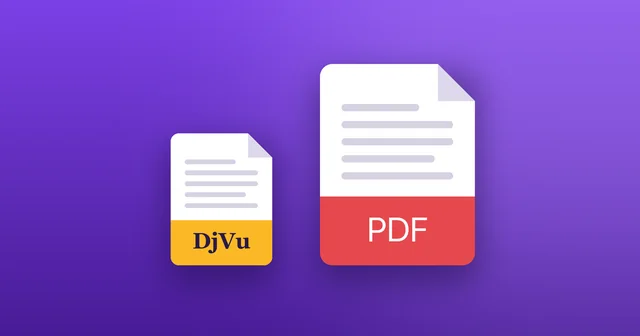
Convert DjVu to PDF to open it in Preview
If you'd rather keep the book in Preview or Books, convert it to PDF once:
- Open DjVu to PDF in Safari or Chrome and drop the DjVu file on it. It converts on your Mac, without uploading the book.
- Download the PDF and double-click it: it opens in Preview.
- If the DjVu had a text layer, the PDF keeps it, so you can search with Command‑F and select text. The book's contents become PDF bookmarks: choose View › Table of Contents in Preview to see them.
- To add it to Books, drag the PDF onto the Books window, or choose File › Import in Books.
Other ways: DjVu apps for Mac
If you read DjVu every day and want a desktop app, you'll find DjVu readers in the Mac App Store, and free desktop DjVu viewers from their developers' websites. Before you install one, check that it was updated recently and supports your version of macOS. The Mac App Store is the safest place to get one. Avoid “free download” sites that wrap programs in their own installers, and be wary if macOS warns that an app can't be checked for malicious software. A PDF, on the other hand, opens in Preview without installing anything.
Reading on iPhone or iPad instead
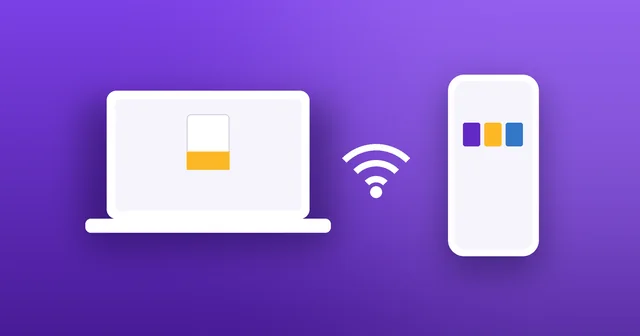
Long scanned books are often easier to read on an iPad or iPhone, in bed or on the go. DjVu Reader opens DjVu files directly, keeps your place, works offline and offers page themes, with two-page spreads on iPad. To move books from your Mac, use its Wi‑Fi Transfer: start it on your iPhone or iPad, open the address it shows in Safari on your Mac and drop your books on the page. See how to transfer DjVu books from your computer to iPhone. For a single book, AirDrop or iCloud Drive work too: then open the file in DjVu Reader from the Files app.
Common questions
- Can Preview open DjVu files on a Mac?
- No. Preview opens PDFs and images, not DjVu. Convert the book with DjVu to PDF and Preview will open the PDF, with searchable text and bookmarks if the DjVu had them.
- Is there a free DjVu reader for Mac?
- Yes: the online DjVu viewer is free and runs in Safari, with no download, no sign-up and no limit on file size. Free and paid DjVu apps are also available in the Mac App Store.
- How do I convert DjVu to PDF on a Mac?
- Open DjVu to PDF in Safari or Chrome, drop the file on it and click Download PDF. Nothing is uploaded, and the PDF keeps the book's text layer and contents.
- Can I read DjVu on my Mac without internet?
- The viewer runs on your Mac, so once the page has loaded, the book is read on your device. For reading fully offline, convert the book to PDF and keep it in Preview or Books.
- Can I search inside a DjVu book on a Mac?
- Yes, if the book has a text layer: search in the online viewer, or in Preview after converting to PDF. Scans without a text layer can be read but not searched there. On iPhone and iPad, DjVu Reader can recognise the text first: see how to search inside a scanned book.
Open your first DjVu book.
Free on the App Store for iPhone and iPad.