How to extract, split and merge DjVu pages
Updated October 22, 20265 min read
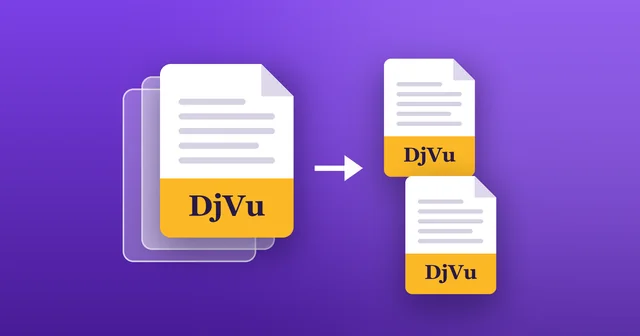
Need one chapter for a class, a few pages to send, or several volumes joined into one book? You can do all of it in your browser, without installing anything and without uploading the book. Pages are copied as they are, so nothing looks any different.
Step 1
Find the pages you need
Open the book in our free online DjVu viewer and note the pages you want to keep. Use the page numbers the viewer shows, counted from the first page of the file. The numbers printed on the book's pages are often different, because the cover, title pages and preface come first. The viewer's contents and thumbnails help you find where a chapter starts and ends.
Step 2
Type the page range in Split DjVu
Open Split DjVu, drop your .djvu or .djv file on the page or click Choose a file, and you'll see how many pages it has. Then choose what to keep:
- Extract pages: type page numbers separated by commas, with a dash for ranges: 1-5, 8, 12-20. Write 30- for page 30 to the end of the book. To extract one page from a DjVu file, type just its number.
- Every N pages: cuts the whole book into parts of the same length, for example 50 pages per file.
- Pages always come out in the book's order, whatever order you type them in.
Step 3
Download the new DjVu file
Click Extract pages or Split, then Download. Extracted pages come as one DjVu file. Parts made with Every N pages come together in one ZIP; computers and phones open ZIP files without any extra app. The new files open anywhere a DjVu book does.
How to merge DjVu files into one
Books are often shared volume by volume or chapter by chapter. To combine DjVu files into one book, open Merge DjVu:
- Add the files: drop two or more .djvu or .djv files on the page, or click Choose files. You can add more at any time.
- Put them in order: use the arrows to move each file up or down. The book follows the order of the list.
- Merge and download: click Merge, then Download DjVu. It takes a second or two, even for long books.
- Each file becomes a chapter in the table of contents, named after the file, with its own chapters kept under it.
- Only single-file DjVu books can be merged. Some sites store a book as one file per page plus an index (an “indirect” DjVu); look for a single-file download of it instead.
Why splitting and merging keep the quality
A tool that redraws pages while cutting them can blur the scan or make the file bigger. Split DjVu and Merge DjVu don't redraw anything: they copy each page exactly as it is in the original, without decoding or compressing it again. The new file has the same images at the same resolution, the hidden text layer of every page comes along, so you can still search the book and copy text from it, and the contents entries that point to the kept pages stay too. That's also why it's quick, even for books of hundreds of pages.
Save a page as a picture or a PDF
Sometimes you want the page itself in another format:
- One page as a picture: extract it with Split DjVu, then convert that one-page file with DjVu to JPG or DjVu to PNG. A single-page file comes back as the picture itself, not a ZIP. Choose High to keep the scan's full resolution (on a computer; phones keep up to 300 dpi).
- A few pages as a PDF: extract them, then convert the new file with DjVu to PDF. The PDF keeps the searchable text. To print them, see how to print a DjVu file.
- A book that's too big rather than too long: Compress DjVu makes the whole file smaller instead of taking pages out.
Read the result on iPhone and iPad
Split chapters and merged volumes are ordinary DjVu files. On iPhone and iPad, DjVu Reader opens them directly from Files, Safari or Mail, with search, the book's contents, page themes and Read Aloud (Pro). The app reads books; it doesn't split or merge them, so do that in the browser first. Here's how to open DjVu files on iPhone.
Common questions
- How do I extract one page from a DjVu file?
- In Split DjVu, choose Extract pages and type the page number, such as 42. You get a one-page DjVu file. For a picture of the page instead, convert that file with DjVu to JPG or PNG.
- Can I change the order of pages?
- Split DjVu keeps pages in the book's order. To rearrange them, extract each part as its own file, then add the parts to Merge DjVu in the order you want.
- Does splitting or merging a DjVu file lower the quality?
- No. Pages are copied as they are, without being decoded or compressed again, so they look exactly like the original. The searchable text comes along too.
- Can I merge PDF and DjVu files together?
- Turn the PDF into DjVu first with our free PDF to DjVu converter, then merge the DjVu files. Photos or scans of pages become a DjVu file with JPG to DjVu.
- Are my files uploaded?
- No. Both tools run in your browser on Windows, Mac, Linux, iPhone, iPad and Android, so your books never leave your device. They're free, with no sign-up, watermark or size limit.
Open your first DjVu book.
Free on the App Store for iPhone and iPad.