djvu.app vs FreeConvert for DjVu to PDF
Facts checked October 22, 20263 min read
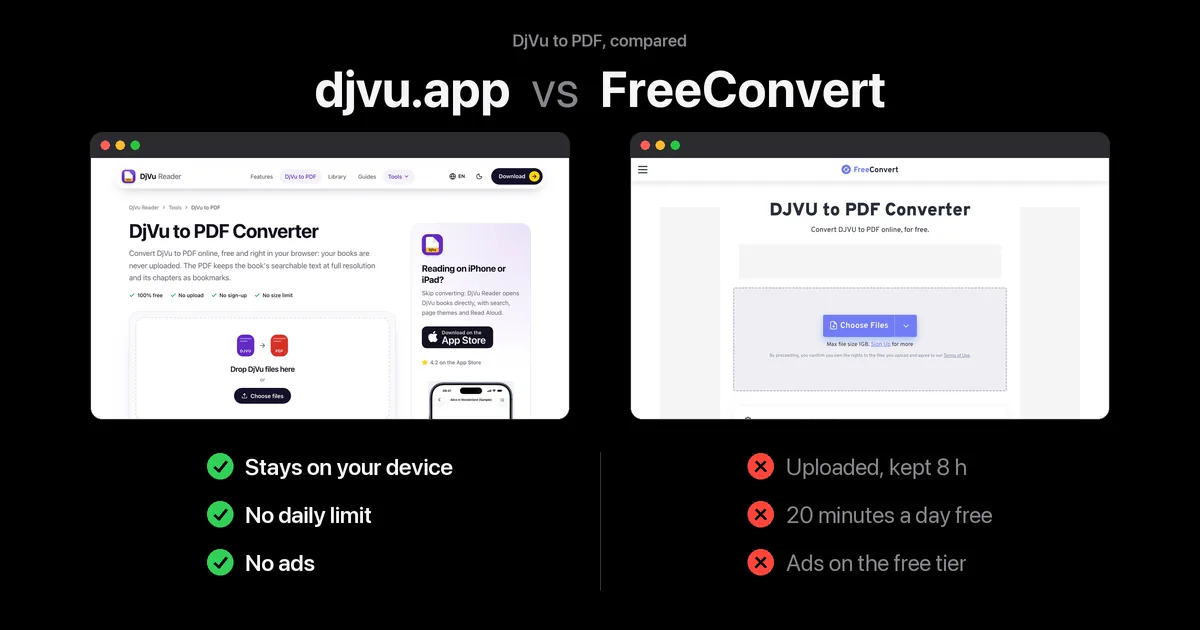
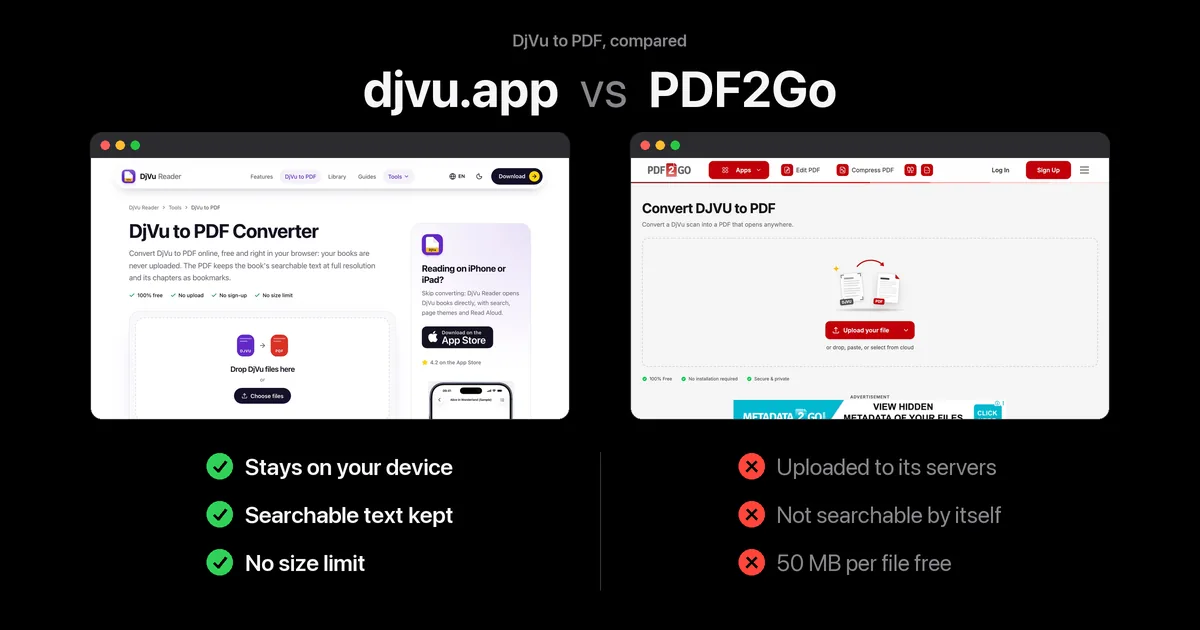
FreeConvert converts DjVu to PDF, MOBI, EPUB and a dozen image formats on its servers, with page-size options, batch conversion and an API, and sells plans from $12.99 a month. djvu.app converts DjVu in your browser, with no upload, no quota and no plan.
Side by side
| Feature |  djvu.app | FreeConvert |
|---|---|---|
| Where your file goes | YesStays in your browser; nothing is uploaded | NoUploaded; deleted automatically after 8 hours |
| Price | YesFree, no plans, no credits | PartlyFree tier; Basic $12.99 a month, Standard $24.99, Pro $29.99 |
| File size limit | YesNone | Partly1 GB free, and up to 5 conversion minutes per file |
| Daily limits | YesNone | No20 conversion minutes a day on the free tier |
| Account | YesNone | YesNot needed on the website |
| Ads | YesNone | NoAds on the free tier; paid plans remove them |
| Searchable text in the PDF | YesKept, with the book's chapters as PDF bookmarks | PartlyNot stated on its page |
| Scans without a text layer | PartlyPages without a text layer stay images (no OCR) | PartlyNot stated on its page |
| Batch | YesSeveral books at once, downloaded as one ZIP | YesYes; 100 at a time on paid plans |
| Other DjVu tools | YesViewer; DjVu to PDF, JPG, PNG, TXT, Word, EPUB, FB2; PDF and JPG to DjVu; merge, split, compress | YesDjVu to MOBI, EPUB, JPG, PNG, TIFF, BMP, WebP, SVG, GIF, PSD, PS; no viewer |
| Works on | YesAny device with a recent browser (Safari 16.4, Chrome 111, Firefox 128 or later) | YesAny browser; API |
The other side's facts come from its App Store page or website on the date above, ours from the app and this site. Something changed? Tell us at support@djvu.app and we'll update the page.
How the two work
FreeConvert uploads your file to its servers, converts it in a queue (free users wait behind paid ones) and deletes it after 8 hours; it counts the processing time against a daily allowance of 20 minutes. djvu.app runs the converter in your browser, on your device, so there is no upload, no queue and nothing to count.
Where FreeConvert is better
FreeConvert gives you more knobs and more targets.
- Page settings: page size (A4 or the image's own), orientation, margins, alignment and metadata stripping.
- Targets: MOBI and EPUB as well as PDF, and a long list of image formats.
- Automation: an API, with 100 conversions at a time on paid plans.
Where djvu.app is better
For a DjVu book, the things that matter are the text, the chapters and the size of the file, and none of them should cost a quota.
- No quota, no queue: convert as many books as you like, as big as you like, now.
- No upload: your scan never leaves your device.
- Text and chapters kept: the PDF keeps the book's searchable text at full resolution and its table of contents as bookmarks. FreeConvert's page doesn't say what happens to the text layer.
- No ads: and no plan to buy to remove them.
- More DjVu tools: a viewer, Word and FB2 output, PDF and JPG to DjVu, merge, split and compress.
Which to use
If you convert many formats and want to set page size and margins, FreeConvert's free tier may be enough. For DjVu books, the DjVu to PDF converter here is free without limits and keeps the file on your device.
Common questions
- What is FreeConvert's daily limit?
- Its pricing page gives free users 20 conversion minutes a day, up to 5 minutes per file, with files up to 1 GB. djvu.app has no daily limit because the conversion runs on your device.
- Does either site upload my book?
- FreeConvert does, and deletes it after 8 hours. djvu.app does not: the converter runs in your browser and the PDF is written on your device.
- Will the PDF be searchable?
- On djvu.app, yes, when the book has a text layer; the chapters become PDF bookmarks too. FreeConvert's page doesn't state what it does with the text layer.
Try DjVu Reader for yourself.
Free on the App Store for iPhone and iPad.